Running a digital product business does not mean you have to complete every task yourself.
In the beginning, doing most things yourself can help you learn how the business works. However, as your workload grows, some repetitive or technical tasks may take time away from product creation and marketing.
Hiring a freelancer can help you complete selected tasks more efficiently while you stay focused on the parts of the business that need your personal attention.
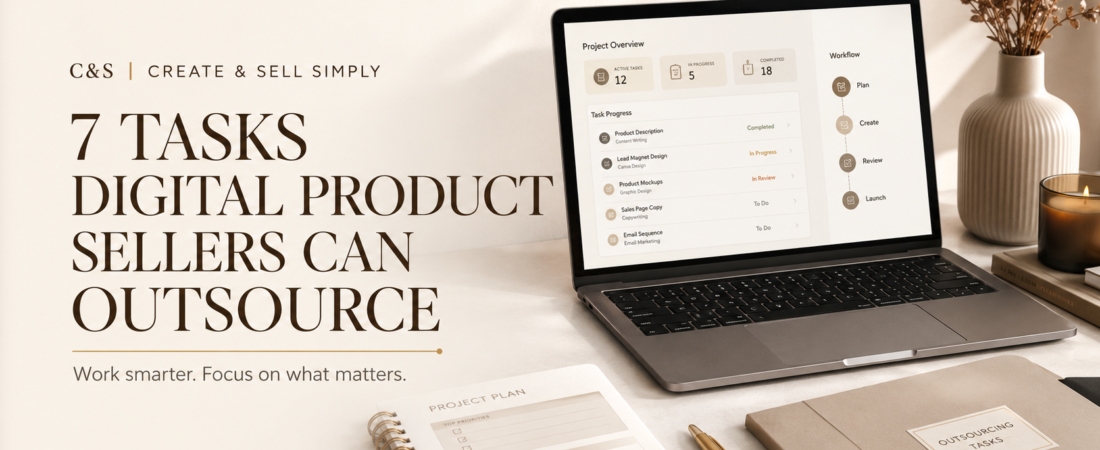
Here are seven tasks digital product sellers can consider outsourcing.
Why Outsource Parts of Your Digital Product Business?
Outsourcing does not mean giving up control of your business. It means choosing carefully where your time is most valuable.
For example, you may enjoy creating planners but struggle with product mockups. You may be comfortable writing articles but need help editing short videos.
A freelancer can provide support with a specific task without becoming a permanent employee. Freelance marketplaces such as Fiverr allow you to compare different services, portfolios and prices before hiring someone.
Start small. Outsource one clearly defined task, review the result and improve your instructions before ordering more work.
1. Product Mockup Design
Customers cannot physically touch a digital product before buying it. Product mockups help them understand what they will receive.
A freelancer can place your design into realistic scenes such as:
- A printable planner displayed on a desk
- An ebook shown on a tablet
- Social media templates displayed on a phone
- Wall art placed inside a frame
- Worksheets shown as printed pages
Good mockups can make a product listing look more professional and easier to understand.
Before hiring someone, prepare the final product files and examples of the visual style you want. Tell the freelancer where the images will be used and what dimensions you need.
2. Pinterest Pin Design
Pinterest can bring visitors to blog posts, product pages and useful resources over time. However, creating several fresh Pin designs for every article can become repetitive.
A Pinterest designer can turn one article into multiple vertical graphics with different:
- Headlines
- Layouts
- Images
- Colours
- Calls to action
Provide your brand colours, fonts, logo and preferred dimensions. You should also give the designer the exact article title and a few alternative headlines.
Even when someone else creates the graphics, review every Pin before publishing it. Make sure the text is accurate, readable and relevant to the linked page.
3. Product Descriptions and Listing Copy
A useful digital product still needs a clear description.
Your product listing should explain:
- What the product is
- Who it is designed for
- What files are included
- How the customer can use it
- What software or equipment may be required
- Whether the product is editable or printable
A freelance copywriter can help organise this information into a more readable description.
The writer cannot guess the details of your product, so provide accurate information first. You remain responsible for checking the final copy and making sure it does not include misleading promises.
4. Proofreading and Editing
Spelling mistakes, inconsistent formatting and confusing instructions can reduce trust in a digital product.
A proofreader can review:
- Ebooks
- Worksheets
- Planners
- Checklists
- Product descriptions
- Blog articles
- Customer instructions
Proofreading is especially useful when you are writing in a second language or creating a product with many pages.
Ask the freelancer whether the service includes only spelling and grammar corrections or also structural editing. These are different services and may have different prices.
5. Simple Website Tasks
You do not need to hire someone to manage your entire website. A freelancer can help with one specific problem that you do not feel confident solving yourself.
Examples include:
- Improving mobile layouts
- Creating a landing page
- Fixing broken links
- Setting up a contact form
- Improving website speed
- Adding basic search engine settings
- Formatting blog posts
- Setting up website backups
Before giving anyone access to your website, create a backup and provide only the level of access required for the task. Remove temporary access after the work is finished.
Never send passwords through an unsecured message. Use temporary accounts or the access-sharing options provided by your website platform whenever possible.
6. Keyword and Competitor Research
Research can help you understand what potential customers are searching for and how similar products are presented.
A freelancer may help research:
- Blog post keywords
- Pinterest search phrases
- Product title ideas
- Frequently asked questions
- Similar products in your niche
- Gaps that existing products do not address
Research should guide your decisions rather than replace your judgement. A keyword with high search volume does not automatically make a good product idea.
Review the research carefully and choose topics that match your audience, skills and overall content strategy.
If you are still deciding what to create, read 7 Digital Products You Can Create in Canva.
7. Video and Social Media Content
One article or digital product can be repurposed into several pieces of content.
A freelance editor or content assistant could turn your material into:
- Short tutorial videos
- YouTube videos
- Instagram Reels
- Pinterest video Pins
- Social media carousels
- Animated product previews
You should provide the original files, key messages, brand guidelines and examples of the style you want.
Check that every image, video clip, font and music track used in the finished content has the appropriate licence. Do not assume that a freelancer automatically owns the rights to every asset included in the work.
What Should You Outsource First?
The best first task to outsource is usually one that is:
- Easy to describe
- Repetitive
- Time-consuming
- Outside your main skill set
- Simple to review
Avoid outsourcing your entire business immediately.
For example, you could begin with three product mockups or two Pinterest graphics. A small project allows you to test the freelancer’s communication, quality and reliability without making a large commitment.
Keep the creative direction, product strategy and final approval under your control.
How to Hire a Freelancer Carefully
Before placing an order, write a clear project brief.
Include:
- The exact task you need completed
- The required file format and dimensions
- Your deadline
- Examples of the style you like
- Brand colours and fonts
- The number of revisions included
- Where the finished work will be used
- Whether you need commercial usage rights
Review the freelancer’s portfolio and recent feedback. A low price should not be the only reason you choose someone.
If anything is unclear, ask questions before ordering. Clear instructions reduce misunderstandings and make it easier for the freelancer to deliver the result you need.
Final Thoughts
Outsourcing can help digital product sellers save time, improve presentation and receive support with specialised tasks.
You do not need to outsource everything, and you do not need to begin with a large budget. Start with one small task that is slowing down your progress.
Continue learning the essential parts of your business, document your process and check every completed project carefully.
If you are creating your first product, follow How to Create Your First Digital Product in Canva.
When outsourcing gives you more time to create useful products and serve your audience, it becomes a practical business tool rather than an unnecessary expense.